Loading...
Subscribe to Our Newsletter
Get the latest updates delivered straight to your inbox.

The ultimate L&D solution for upskilling your workforce.


© 2026 SkillUp MENA, Inc. All rights reserved
Subscribe to Our Newsletter
Get the latest updates delivered straight to your inbox.
The ultimate L&D solution for upskilling your workforce.
© 2026 SkillUp MENA, Inc. All rights reserved

 Share :


Structuring Long Recordings into Task-Based Training Videos in Saudi ArabiaA new procurement coordinator needs to split a purchase requisition across two cost centers. The answer exists: it sits somewhere in the 110-minute recording of last year’s system launch session, between a question about passwords and a long discussion of a feature that was never switched on. After four minutes of scrolling, the coordinator gives up and calls a colleague.
Most Saudi organizations now hold hours of recordings like this: system walkthroughs, onboarding days, recorded webinars, and expert sessions. They contain valuable explanations, but they are organized around the session, not around the work. Turning them into short, task-based training videos is a form of educational video production that starts in the editing room rather than behind a camera.
This article sets out a practical educational video production plan for HR and digital learning teams: index the recording, write an editing plan around employee tasks, refine what stays, and add a short check task after each important segment. It deals with existing long recordings; filming new demonstrations from scratch is a different job.
Why Long Recordings Fail at the Moment of NeedA live session follows the presenter’s order: introductions, background, a demonstration, questions, a detour, a second demonstration.
That order made sense for the people in the room. For an employee who needs one task, it creates three problems: the relevant minutes are hard to find, they are mixed with material that may be out of date, and nothing checks whether the viewer understood. Good educational video production for the workplace solves all three, and the solution begins with knowing exactly what the recording contains.
Many teams assume the fix is to film everything again. Often, the better use of an educational video production budget is the footage you already own, provided the cuts are planned around tasks, and the content is checked before release.
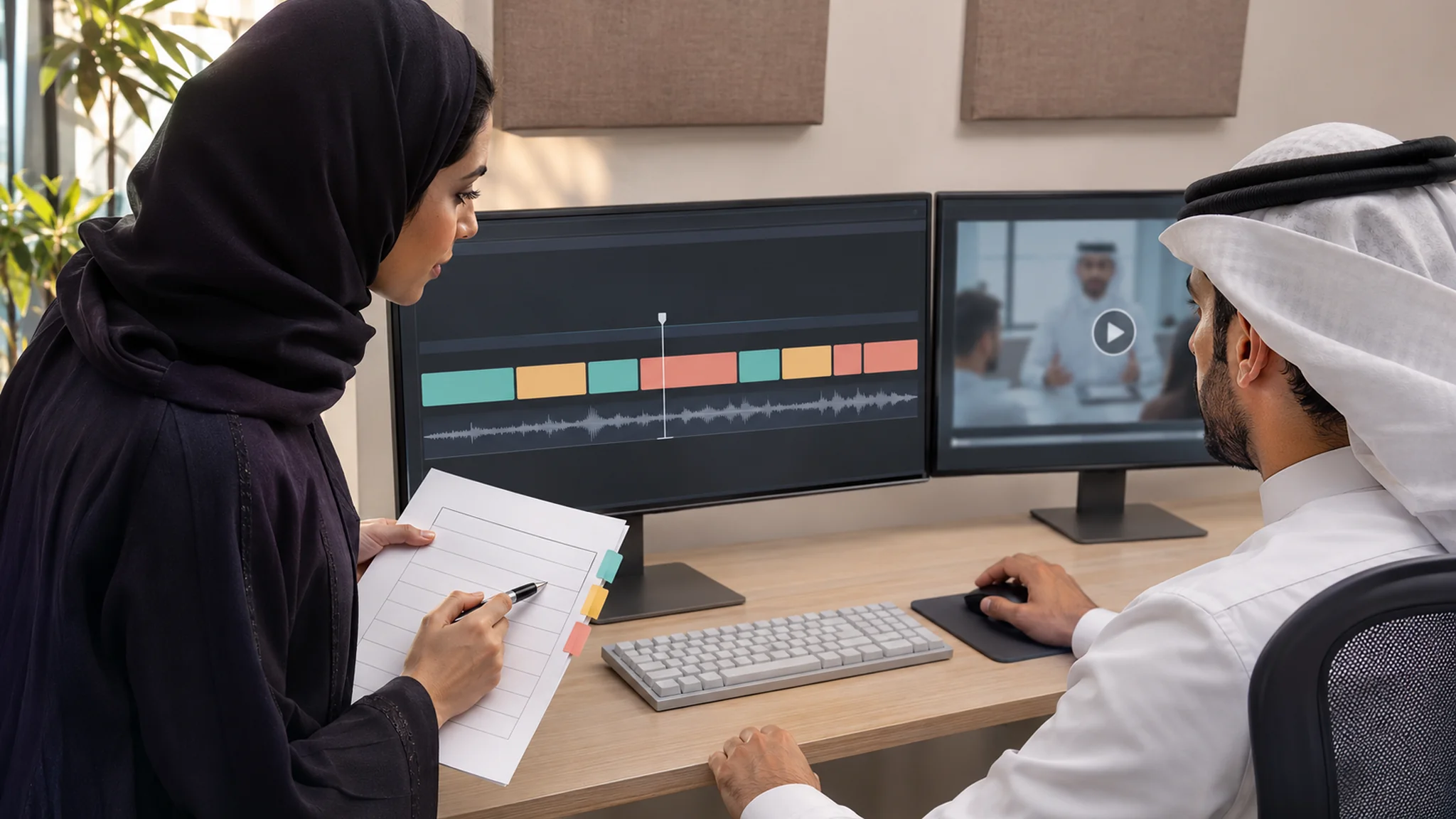
Start Educational Video Production with a Segment IndexResist the urge to open the editor first. Watch the recording once with a transcript beside it and build a segment index: a simple table that becomes the backbone of the whole educational video production project. For each block of the recording, note:
A transcript makes this stage of educational video production much faster, because you can search for terms instead of scrubbing through footage. The W3C’s guidance on transcripts describes a basic transcript as a text version of the speech and non-speech audio needed to understand the content, used by people who are Deaf or hard of hearing and by people who process text better than audio. In an interactive transcript, users can select text and go to that point in the video. Automatic transcripts need editing, especially where Arabic speech mixes with English system terms.
If you are working across a whole library rather than one recording, start one level higher with a content-to-task map for role-based eLearning, then index only the recordings that the map marks for cutting.
Write an Educational Video Production Plan Around Employee TasksWith the index complete, group blocks into segments. The rule for task-based educational video production is simple: one task per segment, with cut points where the task starts and ends, not where the presenter happened to pause. Most segments will run a few minutes, but let the task decide the length rather than a fixed limit. For each segment, the plan should state:
Language deserves its own line in the plan. Many system sessions in Saudi organizations are delivered in Arabic while the screens show English labels, or the other way round. Decide for each segment whether titles, opening cards and captions will be in Arabic, English or both, and keep every term identical to what appears on screen. Settling this during educational video production costs far less than correcting it after release.
Then put the segments in a sensible order. The National eLearning Center’s eLearning standards include a requirement to organize content into sequential modules that take the logical hierarchy into account. In educational video production built around tasks, that usually means the order in which the work happens: create, check, submit, correct.
Refine What Stays Before You PublishTrimming removes what is not needed; refining checks that what remains is still right. Educational video production from old recordings carries a specific risk: a confident explanation of a screen, rule, or limit that has since changed. The NeLC standards also call for ensuring the accuracy, comprehensiveness, and currency of digital content, and that is the test every kept segment must pass. Ask the process owner to review each one against the current procedure and system version, and decide for each problem:
Check people as well as content. Recorded sessions often show participants’ faces and names, chat messages, or real customer records on shared screens, and this review is the step of educational video production most often skipped. Saudi Arabia’s Personal Data Protection Law defines personal data to include an individual’s still or moving images. Before footage is republished for a new audience, agree with your data protection lead what must be cropped, blurred, or cut. This is general information, not legal advice.
Finally, give each published segment an owner and a review date. The NeLC standards call for systematic, periodic reviews of eLearning content and practices, and in educational video production from recordings, the segment index is what makes that practical: when a system screen changes, it shows exactly which segments are affected.
Add a Check Task After Each Important SegmentA segment that only explains leaves the employee passive. Research on video lectures points to a simple remedy. In two experiments published in PNAS, Szpunar, Khan and Schacter (2013) divided a 21-minute online statistics lecture into four segments and found that interpolating memory tests between segments helped students sustain attention, reduced mind wandering, increased note-taking and improved learning. The participants were university students watching one lecture, so treat the finding as a strong signal rather than a workplace guarantee.
In workplace educational video production, the check should be about the task, not about recall. After each important segment, ask the employee to do something small with what they just saw:
Keep each check to one to three items, and make the feedback point back to the exact moment in the segment that explains the answer. Not every segment needs a check: a short reference clip showing where a menu sits can stand alone. Reserve checks for segments that your index marks as containing decisions employees often get wrong, and schedule them as part of educational video production rather than as an afterthought, so that each segment and its check are reviewed together. If you later want evidence that this practice changes performance on the job, see our guide to testing whether eLearning moves employees from viewing to practice.
A Hypothetical Example: A Purchasing System Recording at a Jeddah Hospital GroupThe following example is hypothetical and is included only to illustrate the method.
A private hospital group in Jeddah holds a 110-minute recording of the training session run when its new purchasing system went live. Department coordinators still send the procurement team the same questions every week.
The learning team starts its educational video production with a segment index, built with the procurement lead in one afternoon from an edited transcript. Of the 110 minutes, about 35 cover six tasks that coordinators actually perform; the rest is setup, a discussion of a module the group never adopted, and login questions that IT has since resolved. Two of the six tasks show an approval screen that changed after launch.
The resulting educational video production plan yields six segments of two to six minutes, each titled by task, such as ‘Splitting a requisition across two cost centers’. The two outdated steps are re-recorded as short screen demonstrations, and a staff member’s name visible on one shared screen is blurred. Four segments involve decisions coordinators often get wrong, so each is followed by a two-question check, such as finding the missing attachment in a sample requisition. The team will judge the work by whether repeat questions to procurement fall over the next quarter.
SummaryLong recordings hold real expertise, but employees cannot use it until it is reorganized into short educational videos built around their tasks. A segment index, an editing plan with one task per segment, and careful refinement of what stays are the core of educational video production from existing footage.
A short, task-based check after each important segment turns watching into doing. Approached this way, educational video production becomes less about new filming and more about making the recordings you already own work for the people who need them.
Click here if you want Skillup MENA to help you.