Loading...
Subscribe to Our Newsletter
Get the latest updates delivered straight to your inbox.

The ultimate L&D solution for upskilling your workforce.


© 2026 SkillUp MENA, Inc. All rights reserved
Subscribe to Our Newsletter
Get the latest updates delivered straight to your inbox.
The ultimate L&D solution for upskilling your workforce.
© 2026 SkillUp MENA, Inc. All rights reserved

 Share :


Producing Short Demonstration Videos for Saudi Employee TrainingA new employee at a Riyadh warehouse reads the instruction: ‘Wrap the pallet three times at the base, then work upward with 50% overlap.’ What does 50% overlap look like? How tight is tight enough? A one-minute clip answers questions that a page of text cannot, which is why video production has a real place in employee training.
It is also where much training video production goes wrong: a long recording of an expert talking while working, filmed from wherever the camera happened to stand, showing steps the expert performs from habit rather than from the current procedure. Good video production for training is less about cameras and more about the decisions made before and after filming.
This guide is for HR and digital learning teams in Saudi organizations that plan video production for short demonstrations, in-house or with a production partner. It covers when a demonstration is the right format, how to break the task into steps, how to choose camera angles and narration, and how to verify that every scene shows the task correctly before anyone learns from it.
When Does an Employee Need a Short Demonstration?Video production takes time and budget, so start by asking whether the task actually needs to be seen. A short demonstration earns its place in your video production plan when:
A video is usually the wrong choice when the task is mainly a judgment call, which suits a decision scenario better; when employees need to look up a value, which suits a checklist or job aid; or when the procedure is about to change, which makes any training video production expensive to maintain. In those cases, skip video production: a well-designed page or a practice activity will do more for less.
Plan Video Production Around Task StepsThe script for a demonstration is a step list, not a speech, and this list becomes the backbone of the whole video production process. Sit with a subject-matter expert and the current procedure, and record for each step:
A step with no visible cue may not need video production at all; a short note or checklist item can cover it, which keeps the video shorter.
Then decide what to leave out. In a review of research on educational videos, Brame (2016) describes segmenting, which lets learners engage with small pieces of new information, and weeding, the elimination of interesting but extraneous information that does not contribute to the learning goal. The same review reports that in Guo and colleagues’ analysis of edX course videos, median engagement was close to 100% for videos under six minutes and fell as videos grew longer.
Those findings come from online courses rather than workplaces, but the lesson carries over. In video production terms, it means one task per video, with background stories and side tips moved to a separate resource. If you are starting from long recordings that already exist rather than from a new shoot, the planning problem is different; see our guide to structuring long recordings into task-based training videos.
Choose Camera Angles That Show What the Employee Needs to SeeMany demonstration videos fail on a simple point: the camera does not see what the employee needs to see. Choose the angle for each step during video production planning, not for the whole video at once:
Keep the demonstrator’s orientation consistent with the employee’s working position, and avoid cutting away in the middle of an action. When one element must be noticed, Brame describes signaling, which uses on-screen text or symbols to highlight important information; a simple circle or arrow on the critical point is often enough. During video production, film each step from a second angle if time allows, because choosing in the edit is far cheaper than reshooting.
Narration and Captions in Training Video ProductionNarration should explain what the picture cannot: why a step matters, what to check, and what to avoid. Brame notes that using both the audio and the visual channel to convey new information helps learning, whereas showing an animation alongside printed text overloads the visual channel. For a demonstration, that means spoken explanation over the action, with on-screen text kept to short labels.
Write narration in the language employees use at work, and name controls, screens, and parts exactly as they appear on the equipment. If instructions are given in Arabic but equipment labels are in English, narrate in Arabic and read each label as it appears on the machine. Record final narration late in video production, after the edit is locked, so that each sentence lands on the right moment.
Two accessibility habits belong in every video production plan. The W3C guidance on description of visual information describes integrated description, where the speaker describes the relevant visual information as the video is recorded, and notes that this works well for instructional videos. Its guidance on captions explains that captions are a text version of the speech and non-speech audio needed to understand the content, and that automatic captions must be edited for accuracy. For wider accessibility checks across interactive material, see testing keyboard use and text alternatives in Saudi interactive training content.
Verify Every Scene Before ReleaseA demonstration teaches whatever it shows, including mistakes, and scene verification is the step most often skipped in in-house video production. Before release, ask the process owner or a qualified supervisor to watch the edited video with the current procedure in hand and check that:
Then test the video with two or three employees who have not done the task: can they perform it after watching? Their questions often reveal a missing close-up or a step that passes too quickly. Build this check into the video production schedule rather than after publication.
Check people as well as procedures. Saudi Arabia’s Personal Data Protection Law defines personal data to include an individual’s still or moving images, so footage that shows identifiable employees, customers or patients is personal data. Agree how filming, consent, storage and reuse will be handled with your data protection lead before video production begins, and keep customers out of frame unless that has been approved. This is general information, not legal advice.
A Hypothetical Example: Harness Fitting at a Facility Management Company in DammamThe following example is hypothetical and is included only to illustrate the method.
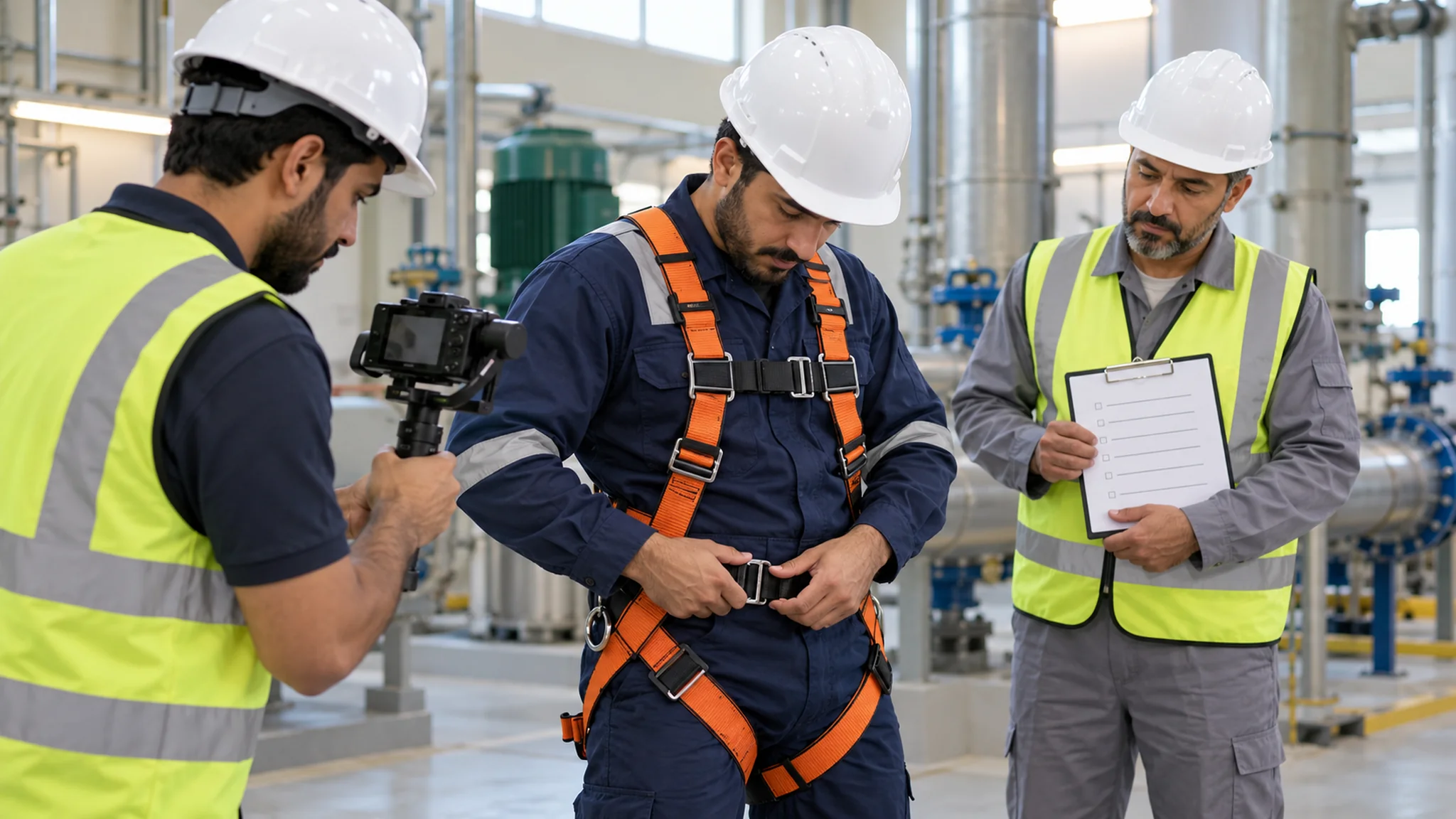
A facility management company in Dammam wants new technicians to fit a full-body harness correctly before work at height. Its safety officer confirms that the problem is a visible skill, not a missing rule: technicians know the procedure but leave leg straps loose or fit the chest strap too low. That makes the task a good candidate for video production.
The learning team plans the video production around a seven-step list and a target length of about three minutes. Steps that depend on hand position are filmed over the shoulder; the final fit check is filmed as a wide shot followed by a close-up of the strap adjustment, so technicians can see what a correct fit looks like. Narration is recorded in Arabic, and each harness component is named as it appears in the company’s equipment list.
During scene verification, the safety officer notices that in one take the demonstrator tightens the leg straps after the chest strap, which reverses the company’s sequence. The step is reshot the same afternoon, a buffer the video production schedule had allowed for. Two new technicians then fit a harness after watching, and their questions lead to one extra close-up. The team will judge the video production effort by supervisor checks of real harness fitting over the following month, not by view counts.
SummaryShort demonstration videos work when the task truly needs to be seen, and the video production is planned around that task. Good video production for training starts with a step list, uses camera angles chosen for what employees must see, adds narration that explains rather than repeats, and ends with careful verification of every scene and every person in it.
Keep each video production project small: one task, one owner, one procedure version. If your team uses AI tools to draft scripts or course materials around these videos, apply the same discipline to that content; see our guide to reviewing AI-assisted course creation before approval.
Click here. If you are planning short demonstration videos for your teams and want to talk through scripting, filming, or review, the SkillUp MENA team can discuss your video production and wider content production requirements with you.