Loading...
Subscribe to Our Newsletter
Get the latest updates delivered straight to your inbox.

The ultimate L&D solution for upskilling your workforce.


© 2026 SkillUp MENA, Inc. All rights reserved
Subscribe to Our Newsletter
Get the latest updates delivered straight to your inbox.
The ultimate L&D solution for upskilling your workforce.
© 2026 SkillUp MENA, Inc. All rights reserved

 Share :


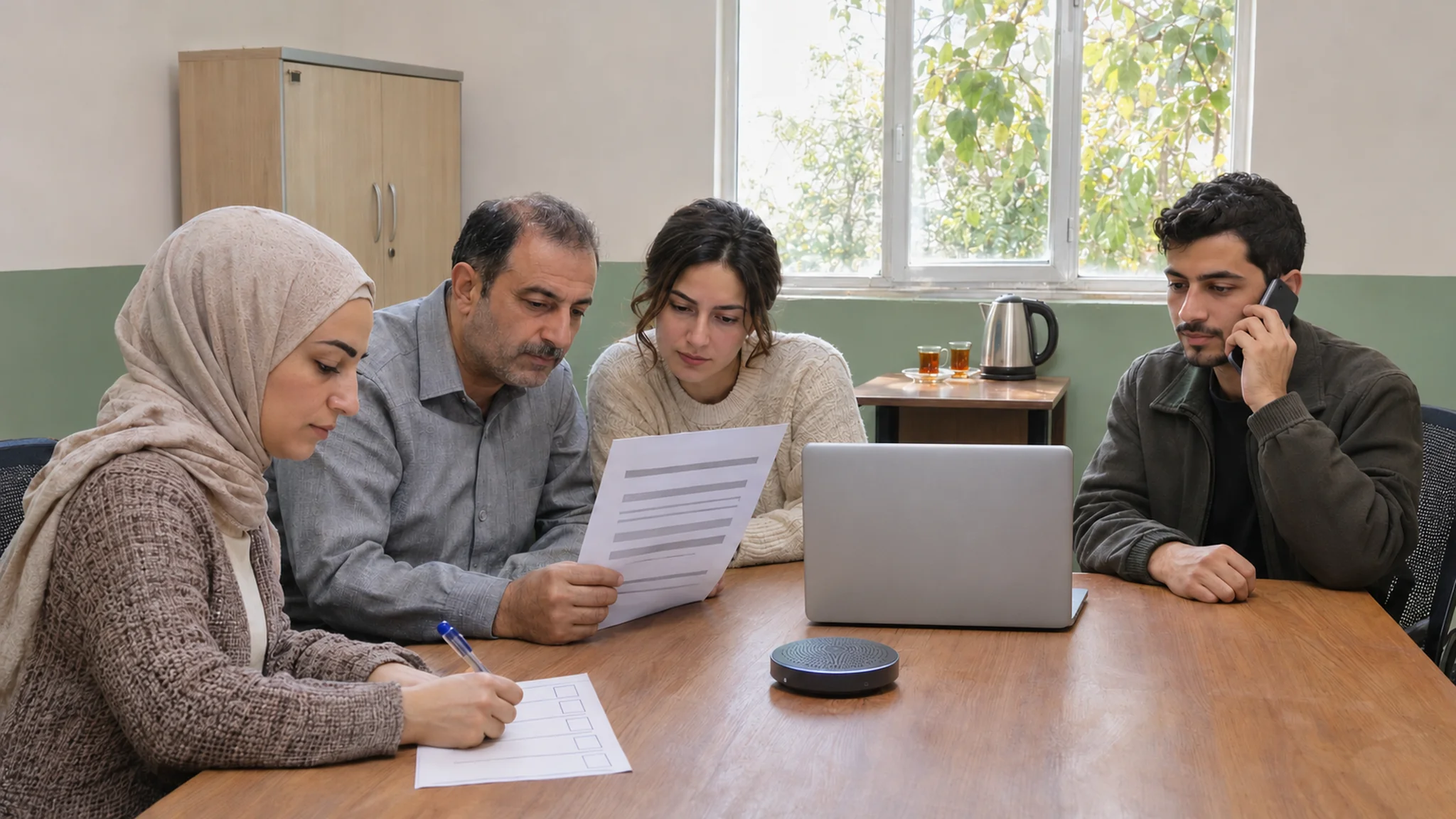
Live Virtual Training for Distributed NGO Teams in SyriaA learning focal point in an NGO programme office plans a two-hour live session on the organization’s revised procurement procedure for staff in four offices. On the day, two field teams are out on scheduled activities, one office joins from a single laptop over an unstable connection, and a colleague who calls in by phone cannot see the shared screen. The case discussion that was meant to fill the second hour becomes a monologue.
Live virtual training, often called VILT (virtual instructor-led training), can work well for teams spread across several locations, because it lets colleagues who rarely meet compare how they apply the same procedure. But for distributed NGO teams, it only works when three things are designed together: a case discussion worth joining, a schedule the offices have actually agreed on, and access alternatives that match each team’s real conditions.
This article sets out how to design VILT around those three elements for NGO teams and teams implementing UN-funded programmes in Syria. It is general guidance with non-sensitive examples. Your organization’s own policies, IT and data protection rules and donor requirements always take precedence.
When VILT Is the Right Format for Distributed TeamsNot every learning need calls for a live VILT session. Self-paced material suits stable procedures that people can read and practice alone, and our guide to lightweight eLearning for volunteer training covers that route for volunteers with limited time and data. VILT earns its place when people need to discuss judgment: how to apply a rule to an unclear case, how different offices handle the same step, or what to do when the procedure and the field reality do not match.
Keep the scope clear. Routine administrative and programme-support procedures, such as procurement, finance, reporting and logistics planning, suit a mixed group in a VILT session. Safeguarding, protection cases, security procedures, staff movements and beneficiary data need dedicated, supervised channels with their own controls, and should not be discussed as open cases in a general live session.
Designing the Case Discussion for a VILT SessionThe case is what makes the session worth the connection. A systematic review of case-based learning in health professional education, published as BEME Guide No. 23, concluded that learners overwhelmingly enjoy case-based learning and think it enhances their learning, but that the evidence on its effects compared with other activities was inconclusive; the reviewers added that it seems to foster learning in small groups. The practical lesson for VILT is to design the discussion so that it produces something you can check, rather than assuming that talking is enough.
A good case for distributed NGO teams has four features:
If your cases come from a work manual, the method in our guide to turning NGO manuals into practical eLearning tasks helps you break a procedure into triggers, decisions, and outputs before you write the case.
During the VILT session, mix offices in small groups so that colleagues compare practices, ask each group to record its decision and reason on a short decision form, and then compare the groups’ decisions in plenary with the procedure owner. Differences between offices are not a failure of the session; they are often its most useful finding.
Coordinating VILT Schedules Across OfficesIn distributed teams, the schedule is part of the design. A VILT session that clashes with field activities, reporting deadlines, or office-wide meetings will reach only the people who happen to be free. Before fixing a date:
Agree the calendar with office managers, not only with participants. When a manager has approved the time, a participant is less likely to be pulled into other work halfway through the VILT session.
Access Alternatives for VILT, Matched to Each TeamAccess needs differ by office and by person. Accessibility of Remote Meetings, a W3C Group Note, advises making meeting documents available to participants, preferably in advance, providing a variety of connection methods such as computer, app and telephone, and ensuring that captions are provided. Those principles translate into a short menu of options for VILT:
Map these access alternatives office by office before the session. A simple access table, listing each office’s usual connection, devices, and preferred route, avoids designing VILT for the head office and leaving field teams to improvise. If participants reach materials through a learning platform, check accounts and access first; our article on access and user management in an Arabic LMS for NGOs in Syria covers that side.
Be careful with recordings. A VILT recording can help those who missed the session, but case discussions can drift into real names or situations. Agree in advance whether to record, who can access the recording and for how long, in line with your organization’s data protection policies; a written summary is often the safer catch-up route.
Running the VILT Session So Every Office ContributesA few habits help distributed teams take part in VILT on the day:
Close the VILT session with the decisions each group recorded, the procedure owner’s explanation of the expected decision, and one action for each office. Send the written summary within a day, while the discussion is still fresh.
A Hypothetical Example: A Quotation Comparison Case Across Four OfficesThe following example is hypothetical and is included only to illustrate the method.
An NGO programme with a coordination office and three field offices in Syria revises its procurement procedure for small purchases. The learning focal point plans VILT for 18 staff from finance, logistics, and programme support.
After consulting the office focal points, she schedules two 70-minute VILT sessions on different days, so each office can attend one without disrupting planned activities. The case, a one-page comparison of three fictional supplier quotations for office furniture in which one quotation has no validity date, goes out three days before with the decision form. One field office joins as a group from its meeting room; two colleagues with weak connections join by phone.
In the VILT session, mixed-office groups decide whether the purchase can proceed and what should happen with the incomplete quotation. Two groups proceed, and two ask the supplier for a corrected quotation. The procedure owner explains that the revised procedure requires valid quotations before comparison, and the offices discover that they had been handling expired quotations differently. Within a day, everyone receives a one-page summary of the decision and the relevant clause, and a colleague who missed both sessions completes the case using the decision form.
SummaryLive virtual training, or VILT, can bring distributed NGO teams in Syria together around the decisions that matter in their work, provided the format fits their reality. Build each VILT session around a non-sensitive case that ends in a recorded decision, agree the schedule with every office, and offer access alternatives matched to each team, from materials in advance to telephone participation and a written catch-up.
Start with one procedure where offices handle a step differently, run one well-prepared VILT session and use the recorded decisions to see where the procedure or the support around it needs to change.
Click here. If your organization is planning VILT for teams across several locations and would like to talk through cases, scheduling, or access options, the SkillUp MENA team can discuss your requirements with you.