Loading...
Subscribe to Our Newsletter
Get the latest updates delivered straight to your inbox.

The ultimate L&D solution for upskilling your workforce.


© 2026 SkillUp MENA, Inc. All rights reserved
Subscribe to Our Newsletter
Get the latest updates delivered straight to your inbox.
The ultimate L&D solution for upskilling your workforce.
© 2026 SkillUp MENA, Inc. All rights reserved

 Share :


Access is more than a joining link
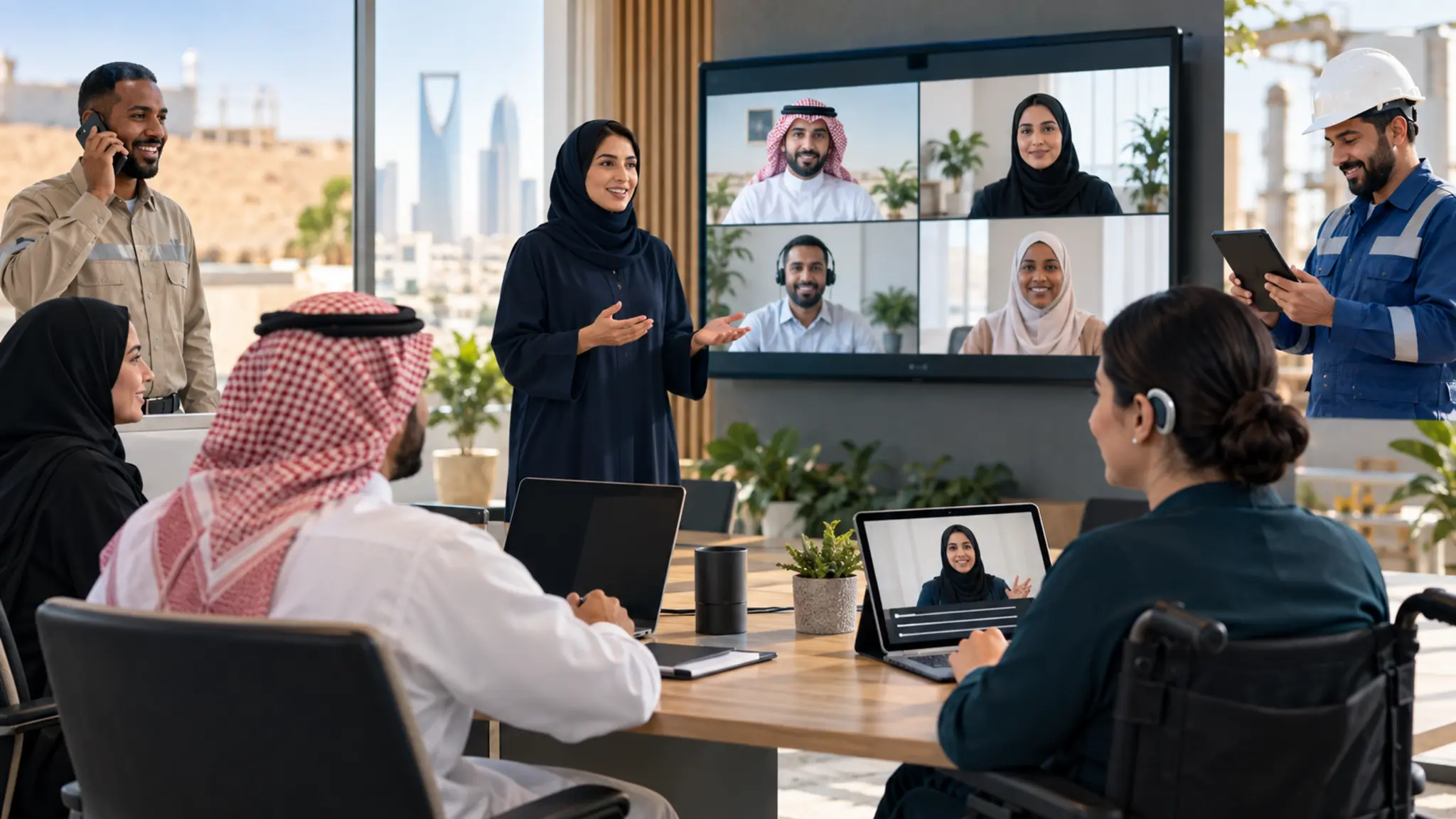
Saudi organizations employ people across headquarters, branches, field sites and shifts, with different languages, experience levels and digital confidence. Everyone may technically receive a virtual-training link without receiving an equal opportunity to learn. One employee joins on a phone, another uses assistive technology, a third works in a noisy site and a manager cannot enable a camera in a sensitive environment. Their participation conditions are not the same.
Accessible virtual training means people can reach, understand, participate and demonstrate capability without language, technology or location becoming an unnecessary barrier. It does not mean lowering the performance standard. Access routes and support can differ while objectives, assessment and mastery evidence remain consistent.
Saudi National eLearning Center standards address governance, experience design, beneficiary support and accessibility within digital quality. The Human Capability Development Program places lifelong learning and skills at the center of national development. At organizational level, those principles become design and operating decisions that can be tested before launch.
Map practical diversity
Segment people by conditions that affect the experience rather than broad assumptions:
1. Role, task and current proficiency.
2. Location, shift and protected learning time.
3. Device, browser, connection and ability to use audio or video.
4. Workplace language and familiar professional terminology.
5. Hearing, vision, mobility or cognitive-access needs.
6. Confidence using the platform and interaction tools.
7. Privacy, safety or camera restrictions.
Collect only the information needed to remove barriers and arrange support under organizational policy. Employees should understand why information is requested, who can see it and how it improves access.
Design mobile-first, not after desktop fails
Test the invitation, authentication, resources and assessment on a phone. Keep files light, provide a transcript or text alternative to video and offer a downloadable case. Do not hide critical instructions inside images or require repeated horizontal scrolling and multiple windows. If an activity genuinely needs a large screen or specialist application, tell participants early and provide a suitable access point.
Connectivity variation needs a known fallback: audio dial-in, a lightweight case file, a chat response or another window for equivalent practice. The fallback must serve the same objective. It should not be a lower-value route that awards attendance without learning.
Make audio, visuals and text work together
An excellent video can exclude people without captions. A clear slide can fail when a facilitator rapidly reads everything on it. Use short headings, sufficient contrast, legible type and verbal descriptions of important visual information. Share readable material in advance when helpful and provide a transcript or concise written summary of audio content.
Do not use color as the only carrier of meaning. Name an option rather than asking people to select “the green one.” Where tools allow it, ensure interaction works with a keyboard and give links meaningful names instead of repeating “click here.”
Use clear language and workplace localization
Clear Arabic does not require removing the English term employees see in their system or profession. Present both where workplace use demands them and maintain a glossary connecting official and familiar terms. Avoid long sentences, jokes and metaphors that are difficult to understand or localize. Test instructions with members of the actual audience.
When Arabic and English versions coexist, review equivalent meaning and difficulty in cases and assessment. The Arabic version should not become longer and more complex because it was translated. Advanced English should not determine success when the program is testing a professional decision rather than language proficiency.
Offer more than one participation channel
Camera use is not a synonym for engagement. Learners can contribute through audio, chat, polls, shared boards, small groups or a post-session assignment. Match the channel to the objective. Role-play may need audio or video in a safe space. Decision analysis may begin with an individual written answer that gives everyone thinking time.
Set contribution rules, read chat questions aloud and allow additional response time for people using assistive technology or a second language. Do not let tool speed determine whose voice is heard.
Separate facilitation from virtual production
The facilitator protects the objective, discussion and practice. A virtual producer monitors entry, audio, chat, breakout rooms and technical incidents. Separating these roles in important or larger sessions reduces pressure and prevents one participant’s technical issue from stopping learning for everyone.
The pre-session checklist should cover access testing, concise instructions, a support route, connection failure, alternative materials, recording rules and a private process for requesting adjustments. An employee should not need to disclose an access need to the whole group to receive support.
Managers protect opportunity
An accessible design can still fail when work schedules block participation. Managers need to protect time, avoid assigning service or site duties during the session and provide a device or quiet location where necessary. Shift workforces may need equivalent live windows rather than a recording that some employees must watch outside working time.
After training, the manager provides an application opportunity and reviews evidence against a clear standard. When application is absent, check opportunity, authority and tools before interpreting the result as a learning failure.
Test with real users
A technical audit alone is insufficient. Pilot with people using different devices, connections, languages and access arrangements. Ask them to complete the whole route from invitation to assessment and observe where they become blocked without unplanned explanation.
1. Could they enter without unexpected assistance?
2. Were instructions understood the first time?
3. Did meaningful alternatives exist for every activity?
4. Were there unexplained differences in completion time or result?
5. Could support be requested privately and clearly?
6. Did each route assess the same capability?
Use a dashboard that reveals exclusion
An average can hide a branch, shift or device group that never reached the experience. Measure invitation, start, attendance and completion by relevant segment; login incidents and resolution time; movement from content to activity, assessment and application; mastery against a baseline; fulfillment of access arrangements without exposing personal data; and workplace application and time to readiness.
Do not use the data to label individuals or compare tiny groups in ways that reveal identity. The purpose is to identify design and operational problems and make an improvement decision.
A 60-day accessibility pilot
1. Select a recurring virtual session with a diverse audience.
2. Map the access journey and identify five likely barriers.
3. Build lightweight resources and alternatives for text, audio and participation.
4. Test with real users and prepare facilitator and producer.
5. Compare access, mastery and application across segments.
6. Correct design-driven gaps before scaling.
Govern accessibility and continuous improvement
Assign ownership. A content owner protects accuracy and version, L&D owns design, technology owns platform and support, and the appropriate HR or specialist function manages adjustments and privacy. Facilitators need an escalation route, and employees need to know how to request support before training.
Maintain a concise register of barrier, action, owner, due date and outcome. It may reveal that content is not the issue: authentication, an unsupported browser or a late invitation may be the recurring cause. Review patterns monthly instead of treating each request as an isolated exception. Repeatable improvement costs less than late individual rescue.
Make assessment and certification accessible
Assessment should measure capability rather than reading speed or skill with an unrelated tool. Provide appropriate time or channel alternatives while maintaining difficulty and standard. If performance is inherently visual or physical, arrange safe observation instead of substituting a weak knowledge quiz.
State what a certificate proves: attendance, completion, knowledge or observed performance. Do not award readiness when a learner had no accessible way to demonstrate performance. Record channel adjustments without lowering the outcome standard or exposing personal information that decision makers do not need.
Evaluate suppliers and platforms
Before purchasing, request a practical demonstration of keyboard access, captions, screen-reader behavior, text enlargement, mobile operation and reporting. Test with your content and users rather than relying on a supplier demonstration. Put accessibility, support and incident-resolution expectations into the agreement and define ownership of resources, recordings and data.
No platform solves everything. A technically compliant tool can still host an inaccessible case, language or schedule. Combine technical review with user testing and operating review.
Making virtual training accessible for diverse Saudi workforces is not a cosmetic enhancement. It is a condition of learning quality and equitable opportunity, and it protects investment from losing capable people because a channel did not fit their reality.
Next step
Contact SkillUp MENA to assess virtual-training accessibility and build a multi-channel experience with one capability standard.