Loading...
Subscribe to Our Newsletter
Get the latest updates delivered straight to your inbox.

The ultimate L&D solution for upskilling your workforce.


© 2026 SkillUp MENA, Inc. All rights reserved
Subscribe to Our Newsletter
Get the latest updates delivered straight to your inbox.
The ultimate L&D solution for upskilling your workforce.
© 2026 SkillUp MENA, Inc. All rights reserved

 Share :


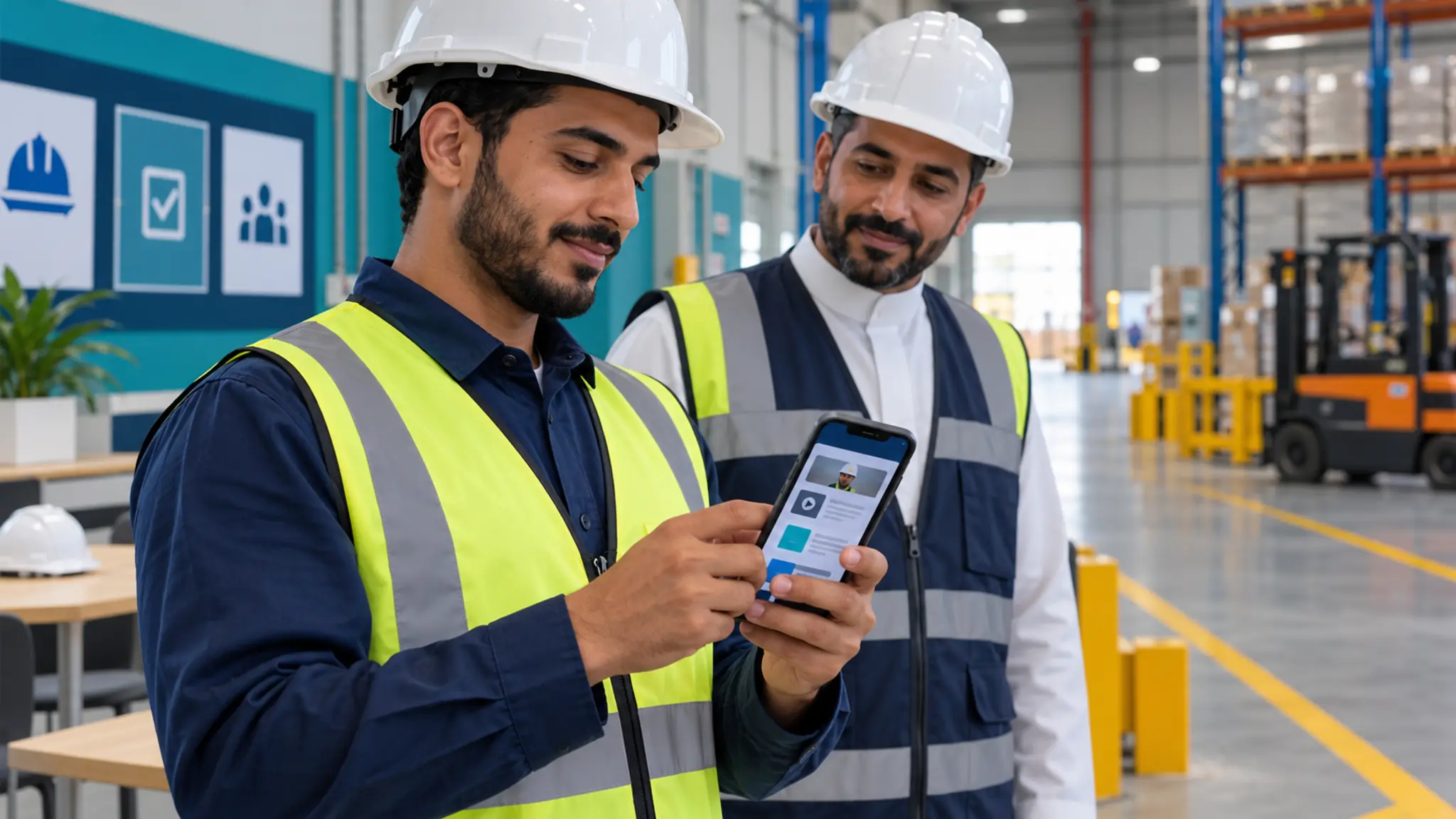
Frontline employees do not use a learning platform under the same conditions as office-based colleagues. They may share devices, move between sites, and work with variable connectivity or limited time. Mobile learning for Saudi frontline workforces should therefore begin with the task and operating environment, rather than a smaller version of the desktop interface.
mobile learning: Map the journey before choosing an appIdentify where employees learn, when they can participate, and what they need to accomplish. Pre-shift preparation, a reference needed during a task, and an assessment after supervised practice require different experiences. The first screen should make the immediate requirement easy to find, with a clear route back later.
Test the devices employees actually use, including shared or older equipment. Clarify personal-device policy and whether installing an application is feasible. Some operational areas restrict phone use; learning access must respect approved locations and safe working practices.
mobile learning: Design content and connectivity togetherOrganize content around a meaningful objective. Use concise text and add audio or video when it improves understanding. Where the platform and policy permit, provide downloadable resources and make connection requirements explicit. Test network loss during an activity and resumption after reconnection.
Some functions depend on a dedicated app or a particular content format. Ask the supplier to demonstrate offline behavior with your materials. Mobile access and offline capability are different requirements, and neither should be assumed from a product description.
mobile learning: Include accessibility and account separationCheck text size, contrast, controls, Arabic direction, and alternatives to audio. The WCAG 2.2 guidelines provide a reference for accessibility testing across devices. Your team still needs to test the actual platform journey and approved content with representative users.
For shared devices, verify logout behavior and ensure the previous user’s records are not exposed. Review what notifications display on the lock screen. A convenient experience must retain clear boundaries between individual accounts and their data.
mobile learning: Connect the journey to shifts and supervisorsAllocate known learning time and provide an alternative when operational needs prevent attendance. Give supervisors a short observation task and a clear method for recording the result. For example, they might review a procedure performed in an approved practice setting.
Watching a video does not independently authorize an employee to perform work that requires qualification or formal approval. The mobile platform should support the wider readiness process, with the appropriate practical evidence and oversight.
mobile learning: Pilot across two different sitesSelect sites with different devices, connectivity, or shift patterns. Compare access, resumption, support requests, and workplace application. Investigate the reason for differences before attributing them to employee motivation.
Document ongoing support and update responsibilities as part of the pilot.
mobile learning: Design for the actual moment of useBefore selecting mobile learning technology, examine the working day. When can employees use a phone, where is connectivity available, and are headphones permitted? Appropriate content can still fail when delivered at an unsafe moment or when no time is available to understand it. Begin with those constraints rather than a hypothetical employee using a recent phone in perfect conditions.
Separate three mobile learning moments: preparation before a task, practice in an appropriate setting, and reference access where operating conditions permit. Do not assume employees should learn while performing a sensitive procedure. Some knowledge belongs before the shift, some performance requires direct supervision, and site policies may prohibit devices in particular areas regardless of their educational usefulness.
The device model also matters for mobile learning. Shared equipment, personal phones, and managed organizational devices create different access and privacy requirements. Test sign-in, sign-out, local files, notifications, and the removal of visible information after a session. Ownership of a modern personal phone or a privately funded data package should not become an unspoken condition for participating in required training.
mobile learning: Test the complete journey on a phoneA working homepage is not proof of mobile learning readiness. Follow an invitation through authentication, search, content access, assessment, evidence upload, and supervisor feedback. An early step may work while a later interaction prevents completion. Record transitions to other applications and windows that are difficult to close. The full sequence, rather than a responsive landing page, determines usability.
Review touch targets, readable text, and field order in mobile learning. Test Arabic alongside English terms and numbers, and confirm that zoom does not hide essential controls. Provide text alternatives where needed and instructions that do not depend only on color. Use WCAG 2.2 to inform accessibility checks appropriate to the content and interface being evaluated.
Search in mobile learning should recognize terms employees actually use, alongside approved formal terminology. Add governed synonyms and show the reference owner and review date. Employees looking for a procedure need to distinguish its current version from earlier material. Ten similar results can create uncertainty rather than better access, especially when the employee needs a specific answer promptly.
Verify offline behavior in realistic conditionsIf a supplier offers offline mobile learning, identify exactly what it supports: reading downloaded text, playing media, completing assessments or saving observations. These capabilities are different and may not all be available. Interrupt connectivity during a task as well as before it. Inspect what is recovered, what is lost, and what the employee is told when the connection returns.
Specify how mobile learning handles content that changes while an older copy remains on a device. Is an update message displayed? Can expired material be withdrawn once connectivity resumes? Do not promise immediate removal from a disconnected device when the technology cannot deliver it. Document the limitation and choose downloadable content according to its sensitivity and intended use.
Test mobile learning record conflicts. An employee might complete part of a task on a phone and later use a shared device. Establish which result takes precedence and how duplicate attempts or lost progress are avoided. The interface should clearly distinguish work saved locally from evidence successfully received by the organization's authoritative record, so employees know whether further action is needed.
mobile learning: Build connected decisions rather than chopped-up lecturesA short mobile learning unit needs one clear purpose. Cutting a long recording into smaller files is not enough. Present a situation, a decision, explanatory feedback and a reference, then connect the unit to suitable practice. Where the skill is complex, use a sequence of stages. A shorter screen experience does not justify reducing the required performance standard.
Images in mobile learning can illustrate task components or meaningful differences between conditions, subject to expert review. Use authorized visuals and avoid unnecessary personal or confidential information. Where an illustration represents a concept, make that status clear. An attractive but technically inaccurate image can be misinterpreted as an operating instruction, so visual quality includes accuracy as well as appearance.
Assign every mobile learning reference an owner, review date, and update trigger. A change in equipment, procedure, or responsibility can make yesterday's material unsuitable today. Updates must reach affected employees, and supervisors need to know when new practice or authorization is required. Initial publication starts the operating lifecycle; it does not remove the need for continued content governance.
Connect supervisors to the experienceGive supervisors a short observation guide tied to a defined task. Useful mobile learning evidence records what was observed, how much assistance was required, and the next action. A generic pass flag provides less information. If the platform cannot support this conveniently, test a documented alternative before purchasing an add-on. Evidence quality matters more than forcing every activity onto one screen.
Do not equate mobile learning access with authorization to perform a task independently. Explain where digital preparation ends and practical training or approval begins. This distinction clarifies responsibilities and prevents a short completion certificate from substituting for required observation in work that needs qualification or supervision under the organization's operating procedures.
mobile learning: Measure what happens beyond the deviceTrack authentication time, loading, resumption, and support requests, then add practice quality. When evaluating mobile learning across sites, document differences in connectivity, shift schedules, and support. Low completion may reflect interruption, while repeated decision errors may indicate inadequate explanation. These problems need different responses; a generic reminder will not fix both.
Calculate the cost of mobile learning including devices, support, supervisor time and content maintenance. If travel is reduced but the burden moves into unplanned extra hours, the financial picture remains incomplete. The intended outcome is a workable experience that improves access and practice, produces credible readiness evidence, and uses working time transparently rather than hiding the learning cost within it.
Plan for exceptions before expansionDocument the mobile learning fallback when a device is unavailable, or a user cannot authenticate. Employees need an approved way to continue preparation without losing their place or creating unverifiable completion claims. Assign responsibility for reconciling any temporary records. A contingency that depends on an individual supervisor remembering every exception will become fragile as the audience grows.
Before approving wider mobile learning rollout, ask site representatives to review the operating instructions. Confirm who replaces equipment, who supports unusual shifts, and who withdraws obsolete material. These are ordinary service responsibilities, but they determine whether the experience remains useful after launch attention fades. Expand only when the local support model can sustain the same standard as the pilot.
Explore SkillUp MENA’s digital learning ecosystem services when defining the platform, experience, and operating scope your organization needs.
Practical summaryMobile learning must fit the task, device, connection, and shift while preserving the required performance standard. Test the full journey, including interruption, synchronization, shared devices, and changed content. Keep digital preparation distinct from practical authorization. Give supervisors manageable observation tools and employees an approved fallback. Compare sites fairly and include equipment, support, and maintenance in the cost. Success means reliable access and credible readiness evidence within safe operating conditions, rather than a desktop course displayed on a smaller screen.
If you want Skillup MENA to help you, click here.